Installation
Start using Tarasa immediately without complex setup. You don't need a local installation, within minutes you are working in a secure cloud-native environment.
With Tarasa, you set up data models visually and create powerful data-driven applications, without external tooling or complex code. As a reseller, you give your customers control over their data as well as its display and management. Data tables are flexible, secure and fully customizable through an intuitive interface. Easily link different tables, set up screens per use case and always guarantee data quality.

Model tables directly in Tarasa with a visual representation of relationships and foreign keys. This makes designing, understanding and modifying the data structure fast and straightforward - ideal when customizing for end customers. No need to use external ERD tools or SQL scripts: you manage the entire data model centrally in the interface.
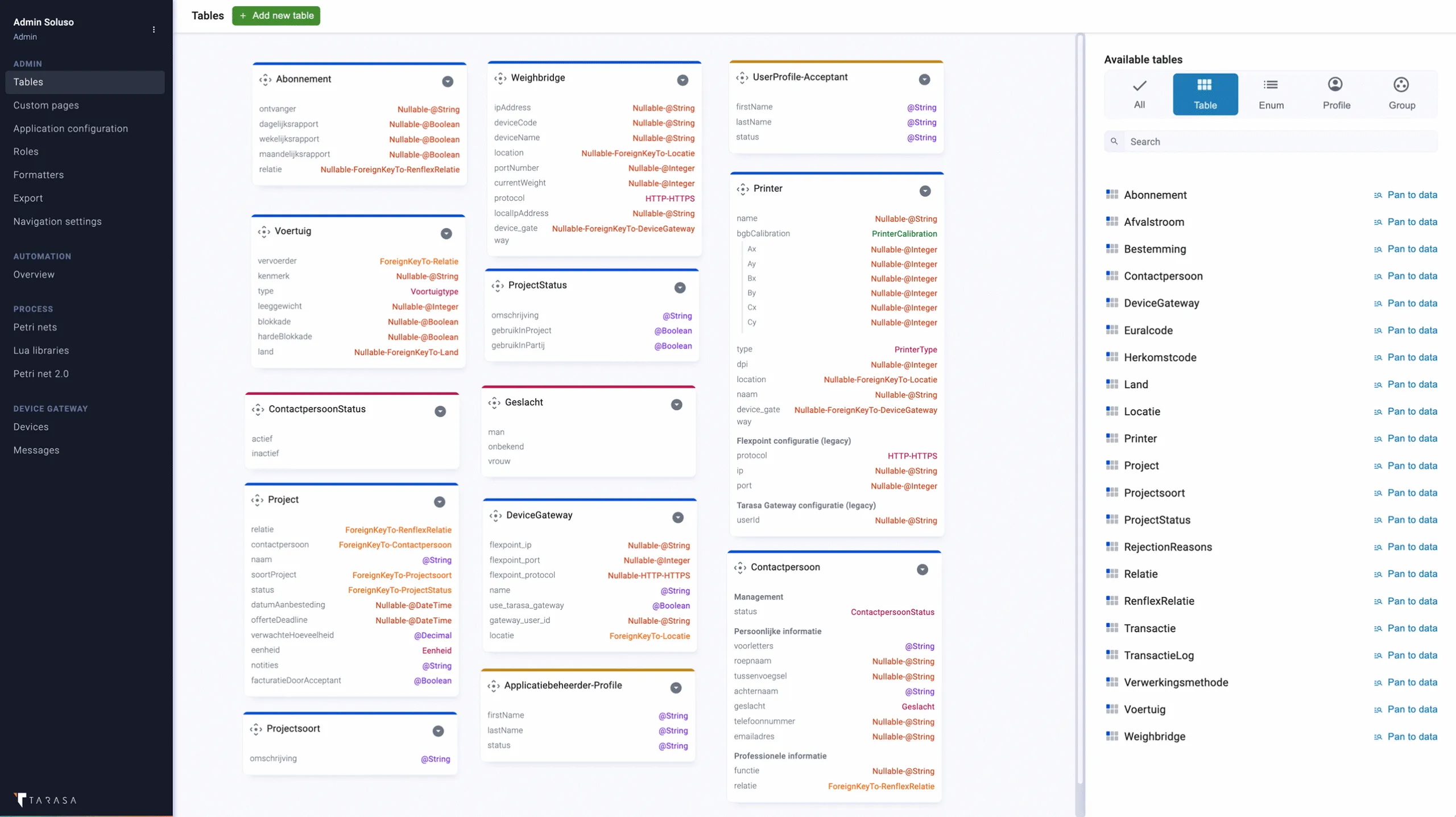
You can set validation rules per column, such as mandatory input, unique values or formats. This allows you to manage data quality without end users working with incorrect data. The validations are declarative and immediately active. This prevents data contamination and reduces support questions afterwards.

Each table can be linked to its own view - from simple tables to interactive forms. Using a no-code interface, you set up pages yourself and determine which fields are visible, in what order and with what logic. Front-end elements such as buttons, tabs or dynamic views are also easy to configure. This allows you to deliver customized applications that really connect with your client.

For a customer, immediately display related projects, documents or transactions - without additional scripting. Tarasa recognizes relationships between tables and automatically displays related data in the correct context. This gives end users more insight and avoids unnecessary searching or clicking.
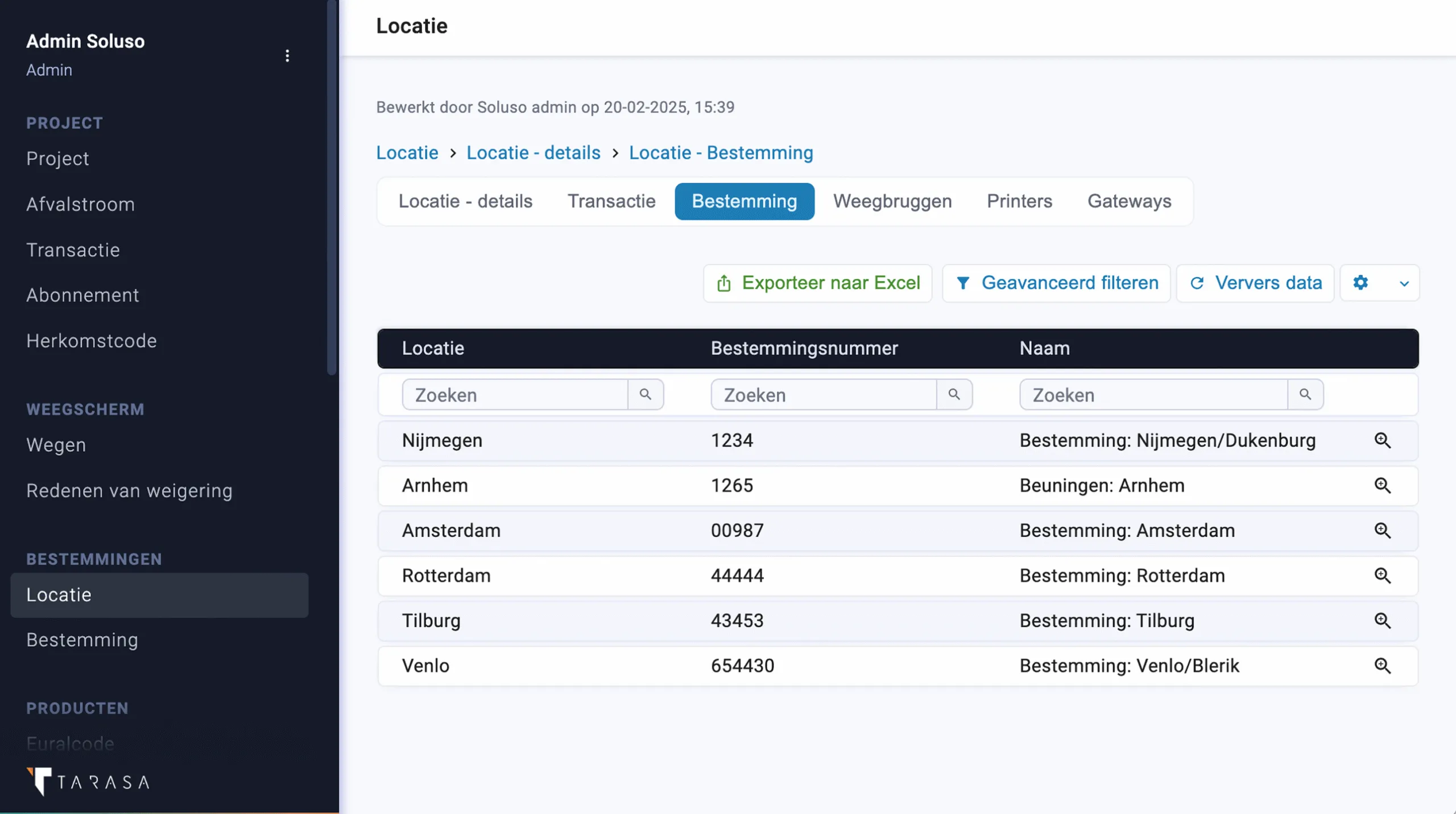
Users can easily filter themselves by date, status or other criteria. These filters are interactive and can be preset per role or page. As a reseller, this allows you to quickly deliver specific views tailored to the process or type of user.
Export
Users export data to Excel with a single click. Useful for reporting, analysis or integration with other tools. You decide which columns are available for export and which roles have access. This allows you to keep a grip on data use, while customers can use their data freely.

Start using Tarasa immediately without complex setup. You don't need a local installation, within minutes you are working in a secure cloud-native environment.